Omnissa Workspace ONE
The broadest cross-platform UEM with enterprise-grade automation and real-time compliance.
Key Takeaways
Who It's For
Omnissa Workspace ONE is designed for large enterprises managing heterogeneous device fleets across multiple os platforms. The broadest cross-platform UEM with enterprise-grade automation and real-time compliance. The platform offers a 30-day free trial, full feature access, so you can evaluate it before committing.
At a Glance
- Best For
- Large enterprises managing heterogeneous device fleets across multiple OS platforms
- Setup Complexity
- Advanced
- Pricing Range
- $3.78-10/device/month depending on tier.
- Licensing Model
- Per-device licensing with Standard, Advanced, Enterprise tiers.
- Top Strength
- Broadest OS coverage: iOS, Android, Windows, macOS, Linux (Ubuntu/RHEL/SUSE), and ChromeOS
- Trial
- 30-day free trial, full feature access
Buyers Guide
Download the full 2026 comparison spreadsheet with scores, pricing, and feature data for all 13 platforms.
Excel format
Score Breakdown
Scored across 10 categories based on 67 features evaluated per platform.
Pros & Cons
Based on our hands-on evaluation of Omnissa Workspace ONE.
Strengths
4- Broadest OS coverage: iOS, Android, Windows, macOS, Linux (Ubuntu/RHEL/SUSE), and ChromeOS
- Freestyle Orchestrator enables complex multi-step automation workflows (best-in-class)
- 5-minute real-time compliance enforcement cycle outpaces all competitors
- Intelligence Platform for advanced analytics and predictive insights
Limitations
3- Higher pricing at the Enterprise tier ($10/device/month)
- Complexity of deployment (on-prem or cloud) may require more initial setup effort
- Transitioning brand identity (from VMware) may create procurement uncertainty
How Does Your MDM Stack Up?
Wondering how your setup compares to Omnissa Workspace ONE? Take the Pain Point Challenge and find out.
Feature Breakdown
Individual feature scores across all 10 categories for Omnissa Workspace ONE.
Device Configuration
8 featuresSCEP and certificate lifecycle management with CA integration.
Custom profiles for all OS platforms; most flexible of the three.
Comprehensive device restrictions across all OS platforms.
Email configuration profiles across platforms.
Passcode policies with complex requirements across platforms.
Workspace ONE Tunnel for per-app VPN on iOS, Android, Windows, macOS.
Device-wide VPN with advanced per-app tunneling.
Wi-Fi profiles across all platforms including Linux.
Enrollment & Provisioning
8 featuresAndroid Zero Touch Enrollment with full partnership.
Apple Device Enrollment (ADE) fully supported for both iOS and macOS. Devices are automatically enrolled and supervised through Apple Business Manager integration.
Apple Configurator enrollment and Sideload staging for iOS. Device staging with check-in/check-out for shared devices. CSV bulk import and API-driven mass enrollment across platforms.
Conditional enrollment with attribute-based access control.
QR code enrollment across all supported platforms.
Samsung Knox deeply integrated with advanced security features.
Comprehensive BYOD support with per-device enrollment flexibility.
Windows Autopilot integration for seamless deployment.
App Management
8 featuresApp restriction and blocklist enforcement.
Comprehensive managed app catalog with self-service portal.
App configuration policies for iOS and Android.
VPP support for iOS and macOS with volume licensing.
Google Play for Work app deployment.
Comprehensive MAM without enrollment across mobile and desktop.
Silent/automatic app deployment and updates across platforms.
Win32 application deployment via packaging.
Compliance & Security
8 featuresReal-time compliance enforcement with 5-minute check cycles.
Data Loss Prevention via Windows Defender and macOS policies.
Device encryption enforcement across all platforms.
Geofencing support on iOS and Android with compliance triggers.
Jailbreak and root detection with enforcement actions.
Full device wipe capability across all platforms.
Selective data wipe of corporate content across platforms.
Integration with threat detection and endpoint response solutions.
OS Update & Lifecycle
6 featuresAndroid update management through device admin and enterprise policies.
Windows firmware updates via Device Firmware Configuration Interface.
iOS updates via Declarative Device Management with deferral.
macOS updates with Declarative Device Management and deferral.
Update deferral available across all platforms.
Windows Update for Business with deployment ring management.
Reporting & Visibility
6 featuresDetailed app deployment and usage analytics.
Comprehensive audit logging for compliance and forensics.
Real-time compliance reporting with remediation tracking.
Custom report builder with saved report libraries.
Comprehensive fleet inventory dashboards with Intelligence Platform.
Real-time device status with Intelligence Platform integration.
Remote Actions & Support
6 featuresCustom script execution on Windows, macOS, and Linux platforms.
Remote restart across Windows, macOS, and Linux.
Remote lock across all platforms.
Workspace ONE Assist provides integrated remote view and control for Android, Windows, and macOS. iOS supports remote view only (Apple platform restriction prevents remote control). No additional third-party licensing needed.
Remote terminal/shell execution on Windows, macOS, and Linux.
Remote full and selective wipe actions.
Targeting & Policy Logic
5 featuresDevice type filtering for granular policy targeting.
Dynamic smart groups based on device and user attributes.
Geographic/network targeting not natively available.
Flexible tag-based targeting for policies and apps.
User and group-based assignment with flexible scoping.
Identity & Directory
6 featuresWorkspace ONE Access with Entra ID synchronization.
Workspace ONE Access with sophisticated conditional policies.
Google Workspace integration for ChromeOS enrollment.
Third-party IdP support via SAML and OIDC.
On-premises Active Directory with Hub Services for SSO.
Full SAML 2.0 and OpenID Connect federation.
Integration & Extensibility
6 featuresBest-in-class Freestyle Orchestrator with conditional logic and branching.
Freestyle Orchestrator for multi-step automation workflows.
Mature REST API with comprehensive endpoint coverage.
Certified ServiceNow integration for CMDB and ticketing.
SIEM integration via syslog and API for security analytics.
Webhooks for event-driven automation and real-time notifications.
Video Resources
Watch Omnissa Workspace ONE demos, tutorials, and reviews.
Windows Modern Management with Workspace ONE UEM | Demo
VMware Workspace ONE: Demo - Feature Walk-through
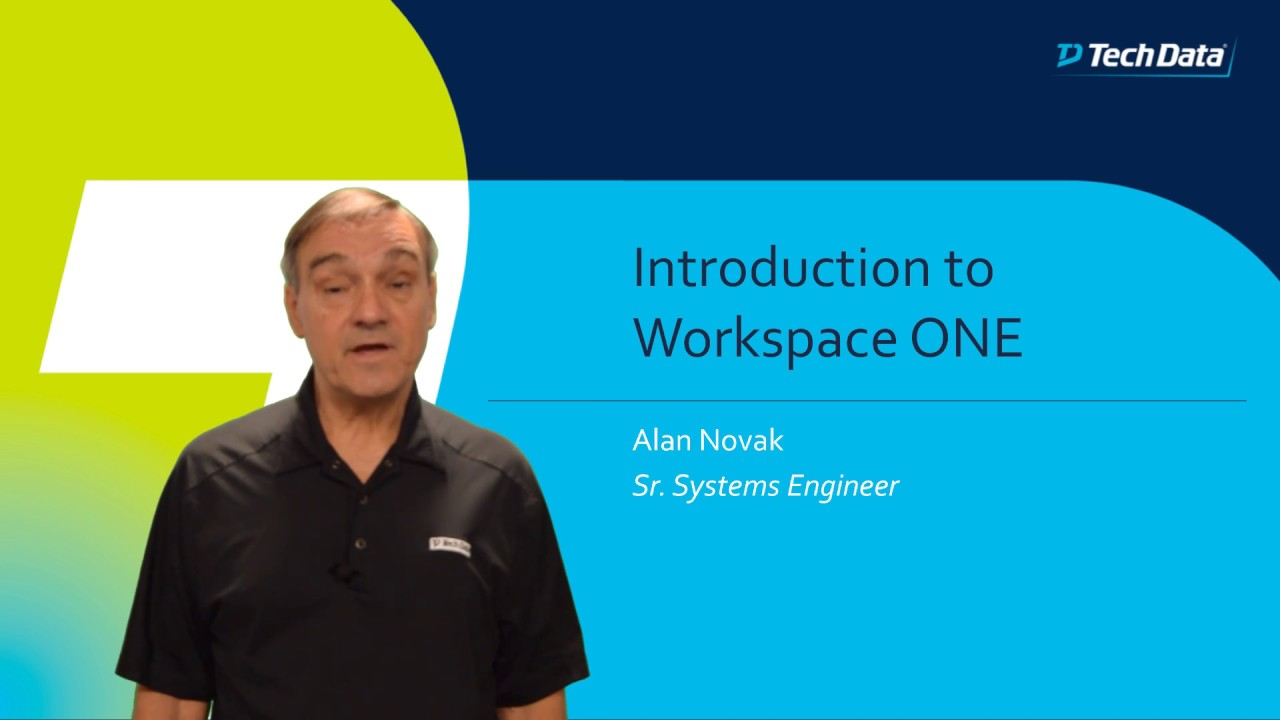
Introduction to VMware Workspace ONE
Alternatives to Consider
Other platforms to evaluate alongside Omnissa Workspace ONE.
Jamf Pro
Enterprise LeaderThe gold standard for Apple device management with unmatched macOS and iOS feature depth.
Microsoft Intune
Strong ContenderThe Microsoft ecosystem's native MDM, deeply integrated with Entra ID and Microsoft 365.
Hexnode UEM
Strong ContenderThe broadest OS support at the best value, with excellent kiosk capabilities.
User Reviews
Be the first to review Omnissa Workspace ONE
Your feedback helps other IT professionals make better decisions.
Write a Review
Share your experience with Omnissa Workspace ONE
Ready to decide?
Compare Omnissa Workspace ONE Head-to-Head
See how Omnissa Workspace ONE stacks up against Jamf Pro, Intune, Hexnode in a detailed side-by-side comparison.