Jamf Pro
The gold standard for Apple device management with unmatched macOS and iOS feature depth.

Key Takeaways
Who It's For
Jamf Pro is designed for apple-first organisations, creative industries, education. The gold standard for Apple device management with unmatched macOS and iOS feature depth. The platform offers a 14-day free trial, so you can evaluate it before committing.
At a Glance
- Best For
- Apple-first organisations, creative industries, education
- Setup Complexity
- Advanced
- Pricing Range
- $3.67-$4.50/device/mo at volume; $4-$6/device/mo at smaller scale
- Licensing Model
- Per-device subscription; volume discounts available
- Top Strength
- Smart Groups with 150+ criteria enable the most granular Apple device targeting available
- Trial
- 14-day free trial
Buyers Guide
Download the full 2026 comparison spreadsheet with scores, pricing, and feature data for all 13 platforms.
Excel format
Score Breakdown
Scored across 10 categories based on 67 features evaluated per platform.
Pros & Cons
Based on our hands-on evaluation of Jamf Pro.
Strengths
4- Smart Groups with 150+ criteria enable the most granular Apple device targeting available
- Early adopter of Apple Declarative Device Management (DDM)
- Jamf Connect bridges cloud identity (Azure AD/Okta) to macOS login
- Self Service app provides a polished end-user experience
Limitations
3- Apple-only: no Android, Windows, Linux, or ChromeOS management
- Requires a separate MDM for non-Apple devices in mixed fleets
- Jamf Protect (endpoint security) is a separate product with additional cost
How Does Your MDM Stack Up?
Wondering how your setup compares to Jamf Pro? Take the Pain Point Challenge and find out.
Feature Breakdown
Individual feature scores across all 10 categories for Jamf Pro.
Device Configuration
8 featuresSCEP and root certificate management
Custom MDM profiles and declarative device management (DDM)
Comprehensive restrictions and supervised device capabilities
Native email profile configuration
Enforce and manage passcode policies
Per-app VPN tunneling for iOS and macOS
Per-device VPN configuration
Native WiFi profiles for iOS and macOS
Enrollment & Provisioning
8 featuresADE for iOS and macOS; best-in-class PreStage Enrollments
Bulk enrollment through ADE for iOS and macOS
Conditional enrollment rules based on device attributes
Manual enrollment via QR code for iOS and macOS
BYOD supported via Jamf Connect for macOS, iOS via Self Service
App Management
8 featuresBlock apps via restrictions
In-house and public app catalog management
Mobile App Configuration Protocol (MCM) support
Apple Volume Purchase Program (VPP) integration
Mobile Application Management via containerization
Silent/remote app installation
Compliance & Security
8 featuresComprehensive compliance reporting and remediation
Data Loss Prevention policies via restrictions
Enforce disk encryption and data protection
Location-based device policies
Detect jailbroken iOS and rooted macOS devices
Full device wipe capability
Selective data wipe for iOS and macOS
Integration with Jamf Protect endpoint security
OS Update & Lifecycle
6 featuresiOS firmware and Apple TV updates
iOS/iPadOS update management with deferral options
macOS update management with deferral and staged rollout
Deferral of OS updates with security grace periods
Reporting & Visibility
6 featuresApp usage and analytics reporting
Comprehensive audit logging of admin actions
Compliance and audit reporting
Custom report builder and scheduling
Real-time inventory and device dashboard
Real-time device status and alerts
Remote Actions & Support
6 featuresCustom Bash/Python script execution on macOS
Remote restart capability
Remote device lock with custom message
Remote screen sharing via Jamf Remote (macOS)
Remote terminal access for macOS
Remote wipe action command
Targeting & Policy Logic
5 featuresDevice type targeting (iPad, iPhone, Mac, Apple TV)
Smart groups with 150+ criteria; best-in-class Apple targeting
Network and geolocation-based targeting
Custom tag-based device and user targeting
User-to-device assignment for policy targeting
Identity & Directory
6 featuresMicrosoft Entra ID integration via Jamf Connect and conditional access
Conditional Access partnership with Entra ID; smart group targeting
Google Workspace SSO integration
Okta and third-party IdP support via Jamf Connect
On-premises Active Directory integration via Jamf Connect
SAML and OIDC for admin console and SSO
Integration & Extensibility
6 featuresAutomation workflows via events and webhooks
Jamf Pro extensions framework
Comprehensive REST API (Jamf Pro API)
ServiceNow integration available
SIEM integration via webhook forwarding
Webhooks for event notifications
Video Resources
Watch Jamf Pro demos, tutorials, and reviews.
Jamf Pro Overview
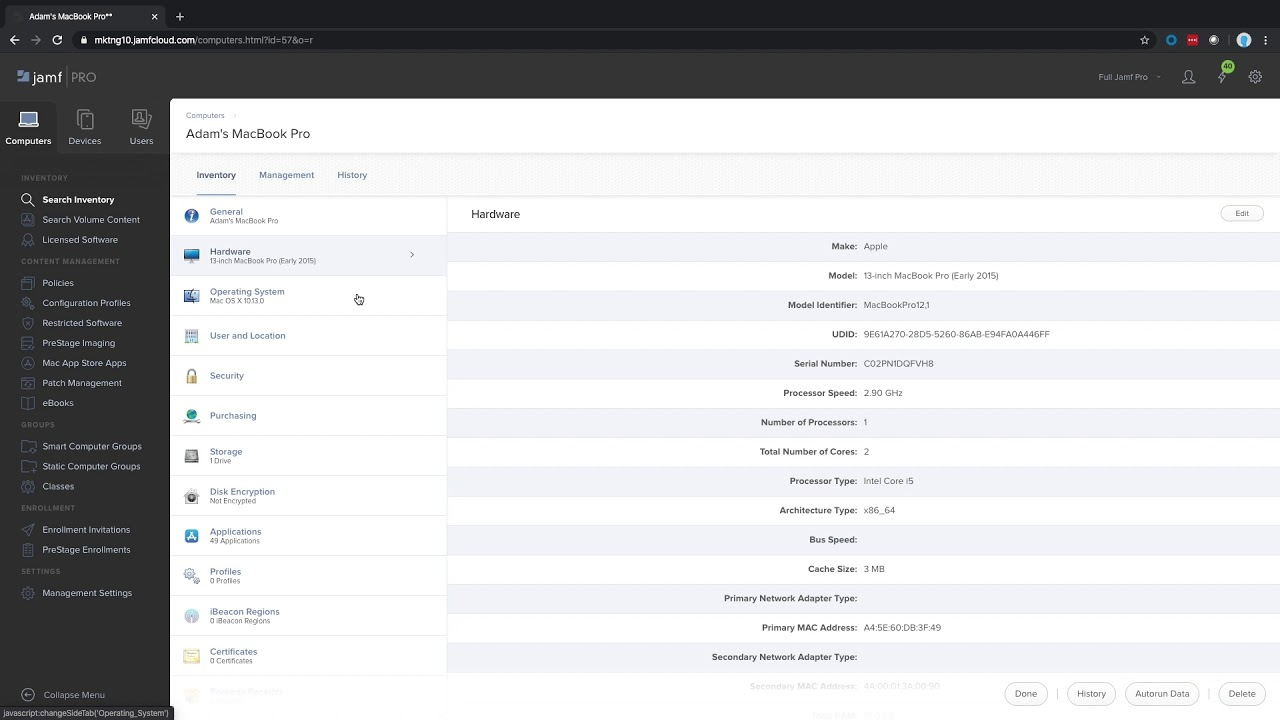
Jamf Pro Overview Demo
How To Set up JAMF MDM Start To Finish
Alternatives to Consider
Other platforms to evaluate alongside Jamf Pro.
Mosyle
Emerging PlayerApple-focused management with aggressive pricing and a free tier for small fleets.
Addigy
Emerging PlayerApple-only MDM built for MSPs with multi-tenant management and innovative remote support.
Omnissa Workspace ONE
Enterprise LeaderThe broadest cross-platform UEM with enterprise-grade automation and real-time compliance.
User Reviews
Be the first to review Jamf Pro
Your feedback helps other IT professionals make better decisions.
Write a Review
Share your experience with Jamf Pro
Ready to decide?
Compare Jamf Pro Head-to-Head
See how Jamf Pro stacks up against Mosyle, Addigy, Workspace ONE in a detailed side-by-side comparison.