Niche / Emerging #8 Overall

Mosyle

Apple-focused management with aggressive pricing and a free tier for small fleets.
Free (30 devices), $1–$1.50/device/month
Small to mid-size Apple-only organisations, education, budget-conscious Apple MDM
iOS macOS
2.2 Overall Score
Mosyle screenshot 1Mosyle screenshot 2

Key Takeaways

Who It's For

Mosyle is designed for small to mid-size apple-only organisations, education, budget-conscious apple mdm. Apple-focused management with aggressive pricing and a free tier for small fleets. The platform offers a no trial; free tier up to 30 devices, so you can evaluate it before committing.
Free tier supports up to 30 Apple devices with no time limit
Paid tier starts at just $1/device/month (lowest among Apple MDMs)
Apple-only with no cross-platform support

At a Glance

Best For
Small to mid-size Apple-only organisations, education, budget-conscious Apple MDM
Setup Complexity
Simple
Pricing Range
Free (30 devices), $1–$1.50/device/month
Licensing Model
Freemium + per-device subscription (Mosyle Fuse)
Top Strength
Free tier supports up to 30 Apple devices with no time limit
Trial
No trial; free tier up to 30 devices

Buyers Guide

Download the full 2026 comparison spreadsheet with scores, pricing, and feature data for all 10 platforms.

Excel format

Score Breakdown

Scored across 10 categories based on 50 features evaluated per platform.

Avg 2.2 / 5.0
Device Configuration 3.8
OS Update & Lifecycle 2.5
Reporting & Visibility 2.5
App Management 2.5
Enrollment & Provisioning 2.2
Compliance & Security 2.0
Remote Actions & Support 2.0
Targeting & Policy Logic 1.8
Identity & Directory 1.5
Integration & Extensibility 1.2

Pros & Cons

Based on our hands-on evaluation of Mosyle.

Strengths

4
  • Free tier supports up to 30 Apple devices with no time limit
  • Paid tier starts at just $1/device/month (lowest among Apple MDMs)
  • CIS and NIST compliance templates built-in for regulated environments
  • Automated macOS app patching simplifies lifecycle management

Limitations

3
  • Apple-only with no cross-platform support
  • API and integration capabilities significantly behind Jamf
  • Third-party documentation and community resources still growing

Feature Breakdown

Individual feature scores across all 10 categories for Mosyle.

Compare features across platforms

Device Configuration

5 features
4.0 Wi-Fi & VPN Profiles

Wi-Fi and VPN profiles for Apple devices with certificate integration and 802.1X support.

4.0 Email & Exchange Configuration

Email configuration profiles for iOS and macOS Mail with Exchange and Google Workspace support.

4.0 Restrictions & Policies

Comprehensive Apple restriction profiles with macOS System Preferences controls and iOS restriction payloads.

4.0 Custom Configuration Payloads

Custom Apple configuration profile upload with property list editor for advanced macOS and iOS settings.

3.0 Kiosk & Lockdown Mode

iOS Single App Mode and limited kiosk configuration; primarily designed for general device management.

Enrollment & Provisioning

5 features
4.0 Apple ADE (Automated Device Enrollment)

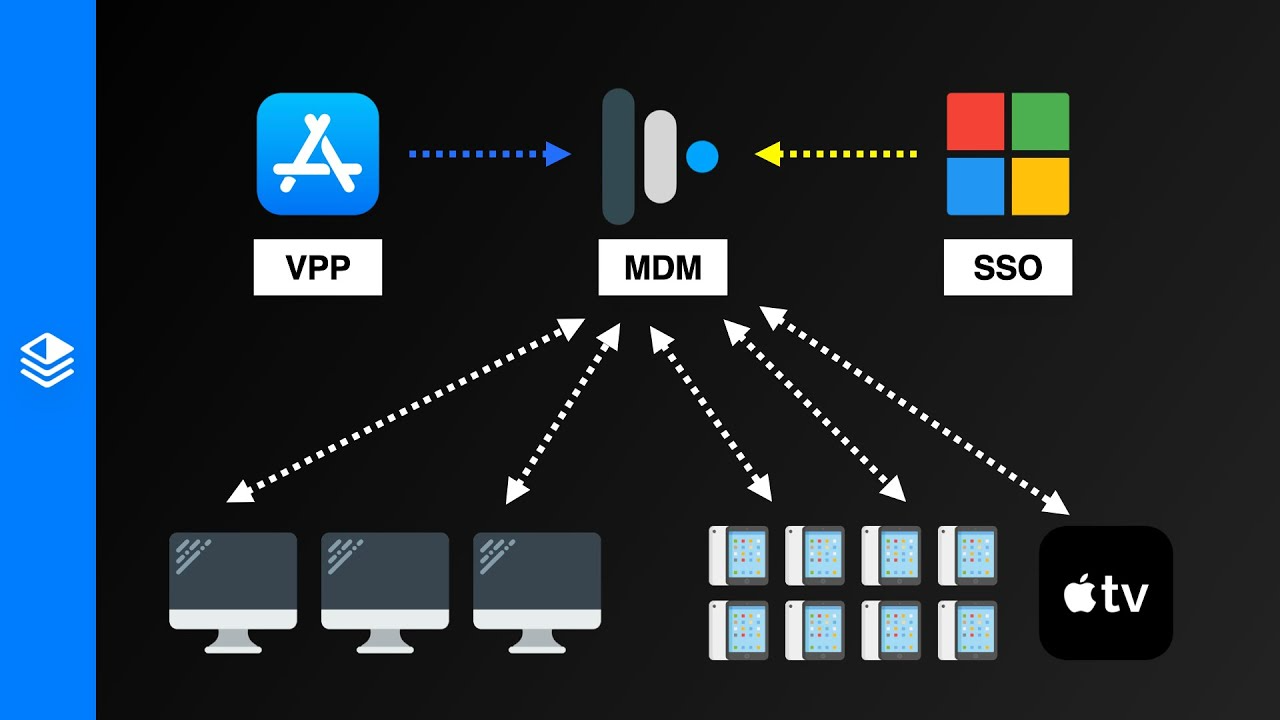
Strong ADE support for Apple devices; Apple Business Manager integration is a core capability of the platform.

0.0 Android Zero-Touch / Samsung KME

Apple-only platform; no Android device management capabilities.

0.0 Windows Autopilot

Apple-only platform; no Windows device management capabilities.

2.0 Bulk Enrollment & Staging

Basic bulk enrollment through Apple Business Manager; limited staging capabilities beyond ADE.

3.0 BYOD / User-Initiated Enrollment

User-initiated enrollment via web link; BYOD support present but primarily designed for corporate-owned Apple devices.

App Management

5 features
3.0 App Store / Play Store Distribution

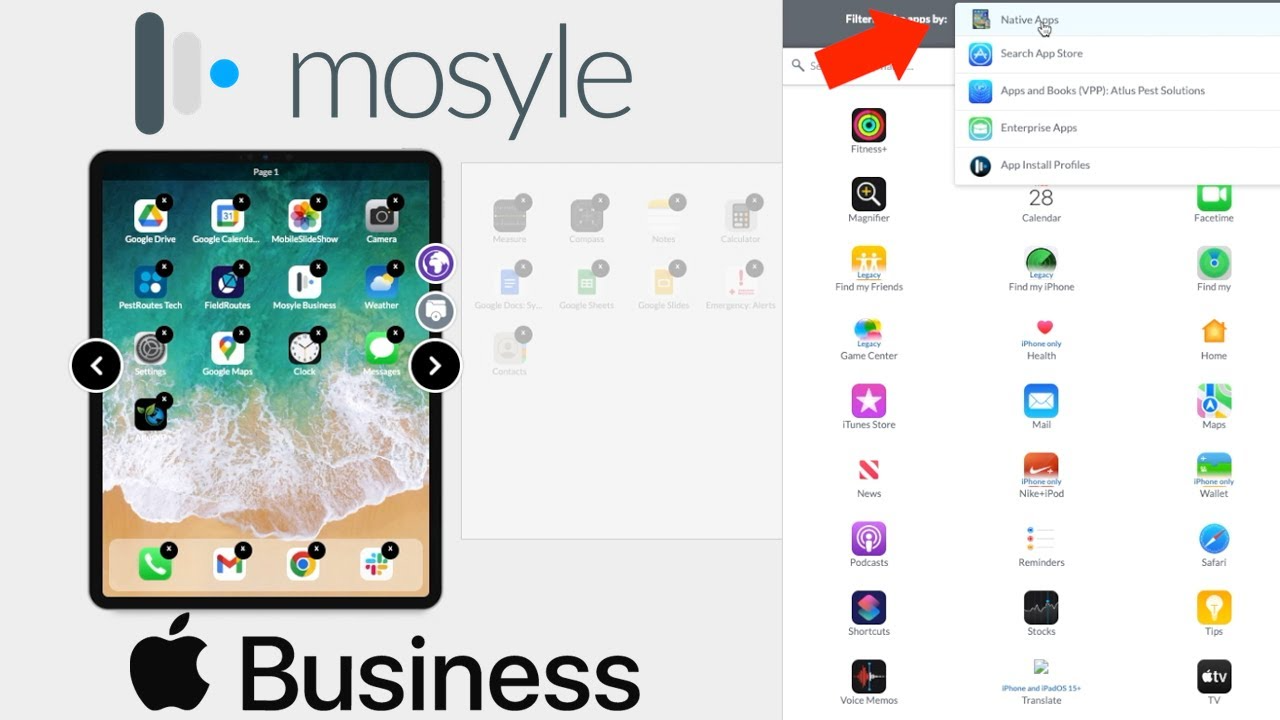
Apple App Store distribution with VPP; auto-app installation on supervised devices.

3.0 Enterprise / In-House App Deployment

Custom app deployment for macOS (PKG/DMG) and iOS (IPA) with basic version management.

3.0 VPP/ABM App Licensing

VPP/ABM app licensing with managed distribution for iOS and macOS devices.

2.0 Managed App Configuration

Basic managed app configuration for iOS apps; limited AppConfig key-value deployment.

2.0 Self-Service App Catalog

Basic self-service through Mosyle Manager app; limited app catalog customisation.

Compliance & Security

5 features
2.0 Compliance Policies & Rules

Basic compliance rules for Apple devices including passcode and encryption; CIS benchmark templates available.

2.0 Conditional Access / Zero Trust

Limited conditional access; compliance-based restrictions for Apple device access to resources.

2.0 Encryption Management

FileVault enforcement and key escrow for macOS; basic iOS encryption compliance checking.

2.0 Certificate Deployment

Basic certificate deployment for Apple devices; SCEP support for Wi-Fi and VPN authentication.

2.0 Threat Detection & Response

Basic jailbreak detection; CIS and NIST compliance templates for security posture evaluation.

OS Update & Lifecycle

5 features
3.0 OS Update Management

macOS and iOS update management with Apple DDM support; automated update scheduling.

3.0 Patch Management

Automated macOS app patching for common applications; third-party patch catalog available.

3.0 Update Deferral Policies

macOS and iOS update deferral with configurable delay periods via Apple DDM.

2.0 Device Wipe & Retirement

Remote wipe and unenroll for Apple devices; basic device retirement workflows.

2.0 Lifecycle & Warranty Reporting

Basic device inventory with hardware details; limited warranty and lifecycle reporting.

Reporting & Visibility

5 features
3.0 Dashboards & Analytics

Basic dashboard with device status overview and compliance summary for Apple fleet.

2.0 Custom Reports & Queries

Basic predefined reports; limited custom report building capabilities.

3.0 Hardware & Software Inventory

Apple device inventory with hardware details, installed apps, and macOS system extensions.

2.0 Audit Logging & Activity Trails

Basic activity logging for admin actions; limited audit trail granularity.

2.0 Real-Time Device Status

Basic device status with last check-in time; limited real-time monitoring capabilities.

Remote Actions & Support

5 features
3.0 Remote Lock & Wipe

Remote lock and wipe for Apple devices; lost mode with custom message support.

1.0 Remote Screen Sharing

No built-in remote screen sharing; relies on third-party tools like Apple Remote Desktop.

2.0 Remote Shell / Terminal Access

Custom command execution for macOS; basic terminal command deployment capabilities.

2.0 Self-Service Portal

Basic self-service through Mosyle Manager app; limited user-facing actions.

2.0 Remote File Management

Basic file distribution for macOS; custom command-based file push.

Targeting & Policy Logic

5 features
2.0 Smart Groups & Dynamic Targeting

Basic device groups with limited dynamic criteria; manual group assignment primary.

2.0 Tag-Based Policy Assignment

Blueprint-based policy assignment with basic tagging capabilities.

2.0 Geofencing & Location Rules

Basic device location tracking; limited geofencing capabilities for Apple devices.

2.0 Time-Based & Scheduled Policies

Basic scheduling through macOS LaunchDaemon-based timing; limited time-based controls.

1.0 Multi-Policy Layering & Conflict Resolution

Blueprint-based model with limited layering; policies apply as a single configuration set.

Identity & Directory

5 features
2.0 Microsoft Entra ID Integration

Basic Entra ID integration for user authentication and directory sync.

2.0 Okta / Google Workspace Integration

Basic Google Workspace and Okta integration for Apple device user management.

1.0 On-Premises AD / LDAP

No native on-premises AD integration; cloud-based directory only.

2.0 Certificate-Based Authentication

Certificate deployment for Apple devices; basic SCEP integration for authentication.

1.0 User-Device Affinity Mapping

Basic user assignment; limited user-device affinity management.

Integration & Extensibility

5 features
1.0 REST API Availability

Limited API availability; basic endpoints for device and user management.

1.0 Webhooks & Event Automation

Minimal webhook support; limited event-driven automation capabilities.

1.0 SIEM & Security Integration

Minimal SIEM integration; basic log export capabilities.

1.0 ITSM / ServiceNow Connectors

Limited ITSM integration; basic API connectivity for third-party tools.

2.0 Custom Scripting & Extensibility

Custom command execution for macOS; basic scripting through command deployment.

Video Resources

Watch Mosyle demos, tutorials, and reviews.

Mosyle: Our Favorite Apple MDM!

Review 20:44

How To Configure Apple Apps With Mosyle MDM

Tutorial 6:21

Alternatives to Consider

Other platforms to evaluate alongside Mosyle.

Jamf Pro

Enterprise Leader
4.0

The gold standard for Apple device management with unmatched macOS and iOS feature depth.

iOSmacOS
Read Review

Addigy

Niche / Emerging
1.9

Apple-only MDM built for MSPs with multi-tenant management and innovative remote support.

iOSmacOS
Read Review

Hexnode UEM

Strong Contender
3.7

The broadest OS support at the best value, with excellent kiosk capabilities.

iOSAndroidWindowsmacOS +4
Read Review

Ready to decide?

Compare Mosyle Head-to-Head

See how Mosyle stacks up against Jamf Pro, Addigy, Hexnode in a detailed side-by-side comparison.